Knowledge base Start here
Getting started
From nothing to a first answer. There is no form to fill in, so most of this is explaining what just happened.
Open Nymbot
The web app is at nymbot.ai/app. It installs like a native app if you want it to — "Add to Home Screen" on a phone, the install icon in the address bar on a desktop — and works the same either way. There are also Android and iOS builds: Android is on Google Play, iOS is not in the App Store yet.
The first time it opens it generates a keypair and asks you to pick a nym: a display name, not a username. Nobody checks it and nobody reserves it, because it is not what identifies you. Your public key is.
Your key is your account
Nymbot has no user table. The private key sitting in your browser's storage is the whole account:
- It signs the messages you send, which is how the server knows a request is really yours.
- Your credit balance is filed under its public half.
- Your conversation history is encrypted to it, so only that key can read it back.
Which means two things worth taking seriously. Back it up. Settings →
Identity shows your nsec — write it down somewhere offline, because
nobody can reissue it. And protect it on the device: turn on
identity encryption so the key is unreadable
in storage without your passphrase, biometric or hardware key.
If you already use Nymchat or any other Nostr app, sign in
with that nsec or a browser extension instead, and your existing credits and
Nymbot history come with you.
Nymbot and Nymchat share one balance and one identity. Buying credits in either tops up the same account, and you can move between the two apps freely.
Your first conversation
Press New chat and type. The first thing you say names the conversation — see where the titles come from — and everything after it is one continuous thread the model can see.
Above the composer is the toolbar:
| Control | What it does |
|---|---|
| Standard / Pro | Which balance this conversation spends. |
| Model | Auto-routed, or one frontier model you pin. See models. |
| Git | Connects a repository Pro replies can read and edit. |
| Anon | Moves the chat onto a throwaway key. |
| Buy | Tops up over Lightning. |
Anything starting with ? is a command rather than a question —
?help is free and handled on your own device. The full list is in the
command reference.
Buying credits
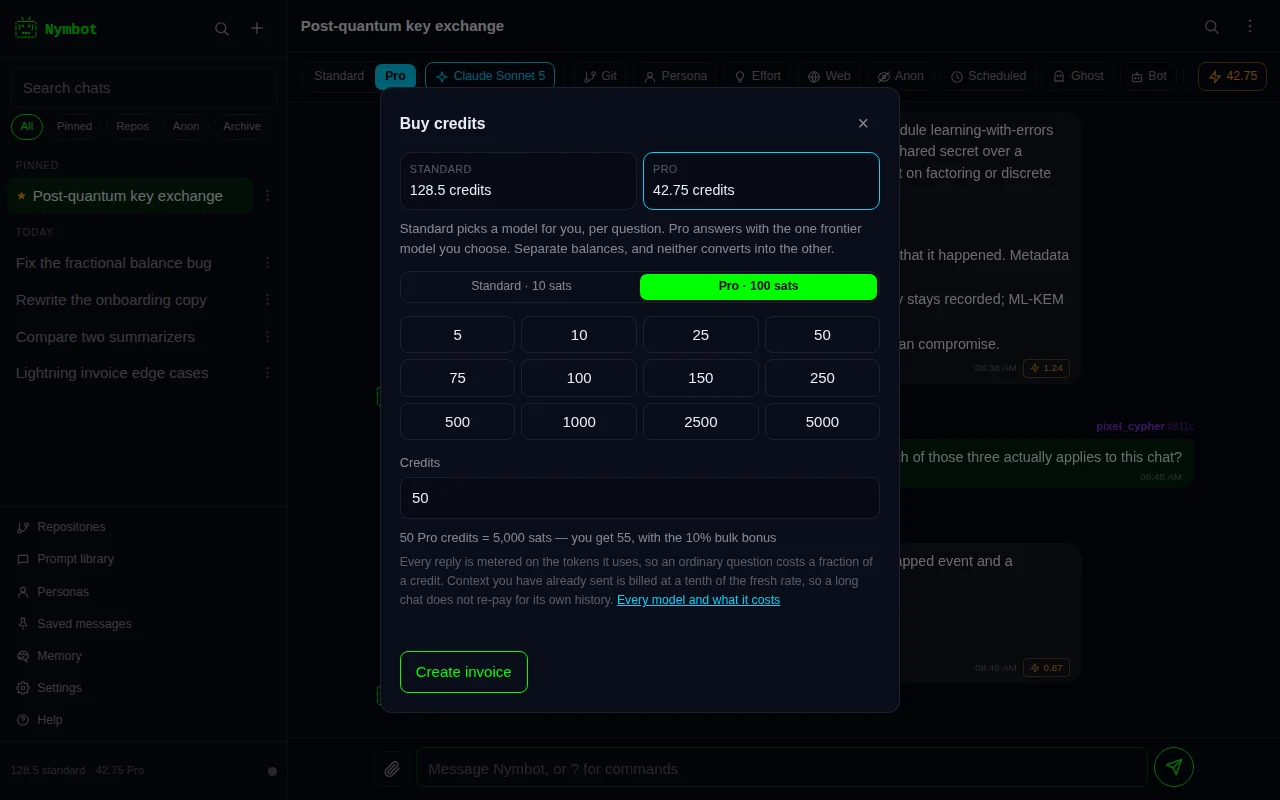
Replies cost credits, and you start with none. ?buy, or the Buy
button, opens a Lightning invoice; pay it from any Lightning wallet and the balance lands in
a few seconds.
Standard credits are 10 sats each and buy auto-routed replies. Pro credits are 100 sats each and buy replies from a specific frontier model. They are separate balances and neither converts into the other. Credits and pricing has the detail, including what an individual reply actually costs.